
Note
Go to the end to download the full example code.
4D images in the viewer#
A 4D image, such as a diffusion-weighted series, holds several 3D volumes along its
last axis. The viewer shows one at a time, chosen by the item’s volume index; the
left and right arrow keys step through them in the window, and step_volume does
the same from Python.
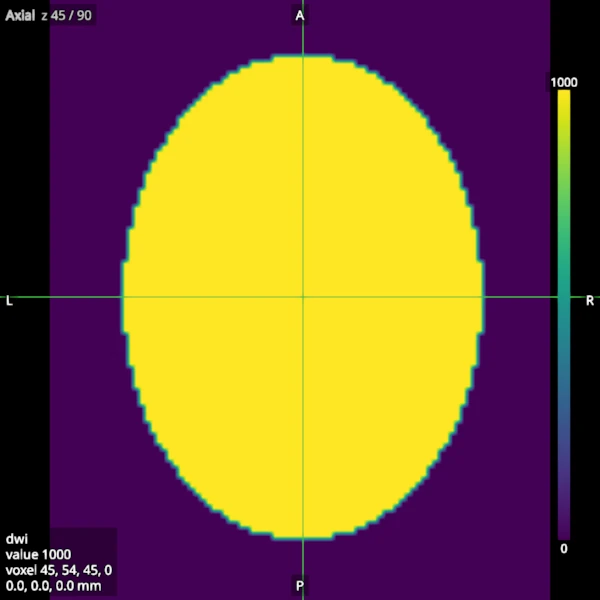
This example builds a small diffusion-weighted series of a synthetic head with a fibre bundle running left to right, and saves a screenshot of its first volume (no diffusion weighting) and of the volume whose gradient runs along the bundle, where the bundle’s signal drops. A colour bar shows the range of the colormap.
A diffusion-weighted series#
A 2 mm head (an ellipsoid, centred on the world origin) with a bundle along x through its middle. The series has a b=0 volume and three volumes at b = 1000 s/mm^2 with gradients along x, y and z. Water diffuses fast along the bundle (1.7e-3 mm^2/s) and slowly across it (0.3e-3 mm^2/s); elsewhere it diffuses at 0.8e-3 mm^2/s in every direction. The signal is S0 exp(-b D) along each gradient.
shape = (90, 108, 90)
affine = np.diag([2.0, 2.0, 2.0, 1.0])
affine[:3, 3] = -np.array(shape)
i, j, k = np.indices(shape, dtype=np.float32)
x, y, z = (2 * i / shape[0] - 1, 2 * j / shape[1] - 1, 2 * k / shape[2] - 1)
head = np.sqrt((x / 0.8) ** 2 + (y / 0.9) ** 2 + (z / 0.85) ** 2) < 0.9
bundle = head & (np.abs(y) < 0.12) & (np.abs(z) < 0.12)

diffusivity = np.full((*shape, 3), 0.8e-3, dtype=np.float32)  # along x, y, z
diffusivity[bundle] = [1.7e-3, 0.3e-3, 0.3e-3]
s0 = np.where(head, 1000.0, 0.0).astype(np.float32)
weighted = s0[..., None] * np.exp(-1000.0 * diffusivity)
series = Volume(np.concatenate([s0[..., None], weighted], axis=-1), affine)
print(f"the series: {series.data.shape}")
the series: (90, 108, 90, 4)
The first volume#
A new item shows volume 0. Its minimum and maximum start at the range of the whole series, so the volumes are shown on one scale and can be compared.
viewer = Viewer()
dwi = viewer.add(series, Category.VOLUMES, name="dwi")
viewer.set(dwi.id, OptionName.COLORMAP, Colormap.VIRIDIS)
viewer.set(dwi.id, OptionName.COLOUR_BAR, True)
viewer.screenshot(ViewKind.AXIAL, "viewer_4d_b0.png", size=(600, 600))
Stepping through the volumes#
step_volume moves the volume index of the selected 4D image, else of the main
volume, and stops at the first and the last volume. Volume 1 has its gradient
along x, along the bundle, which turns dark there. The readout’s voxel ends with
the volume index.
viewer.step_volume(1)
viewer.screenshot(ViewKind.AXIAL, "viewer_4d_gradient_x.png", size=(600, 600))

readout = viewer.readout()
print(f"voxel {readout.voxel}: {readout.value:.1f}")
assert readout.voxel is not None and readout.voxel[3] == 1
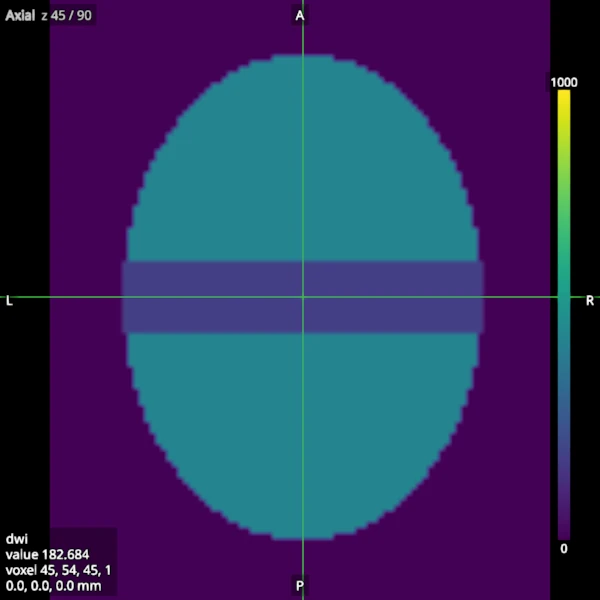
voxel (45, 54, 45, 1): 182.7
The volume index can also be set directly; it must lie below the number of volumes.
viewer.set(dwi.id, OptionName.VOLUME_INDEX, 2)
viewer.step_volume(5)  # stops at the last volume, 3
voxel = viewer.readout().voxel
assert voxel is not None and voxel[3] == 3