
Note
Go to the end to download the full example code.
The 3D view#
The 3D view shows the volume’s three slices where the crosshair is, a volume rendering of the whole image, and a surface for each mask. Its camera turns with a drag, zooms with the wheel, and has standard positions: from above, from the front and from the right.
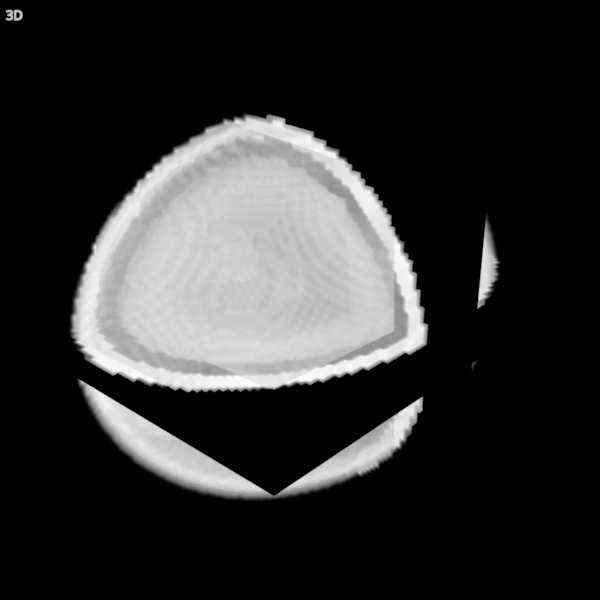
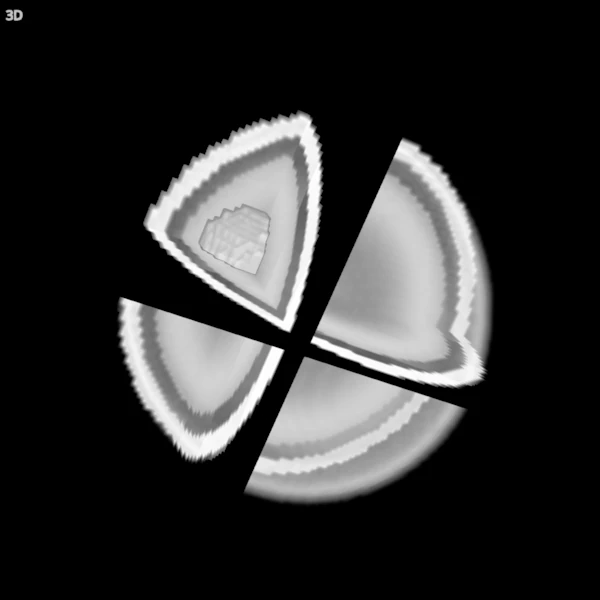
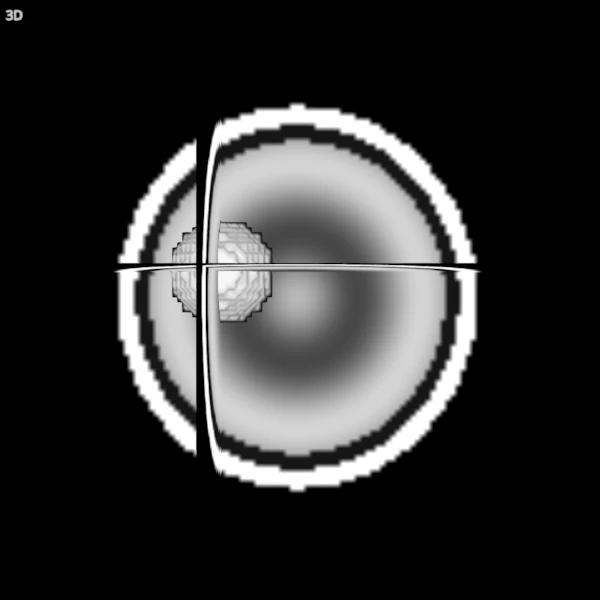
This example builds a synthetic head with a mask of a blob inside it, and saves screenshots of the 3D view: from the default position, with the volume rendering dimmed so the mask’s surface shows, and from the front without the volume rendering, so only the slices and the surface are left.
A synthetic head and a mask#
A 2 mm image of an ellipsoid with a bright scalp, dark fluid under it and a brain whose intensity rises and falls with the distance from its centre; and a mask of a ball 20 mm across in the right hemisphere.
shape = (90, 108, 90)
affine = np.diag([2.0, 2.0, 2.0, 1.0])
affine[:3, 3] = -np.array(shape)  # half the extent in mm: the centre at 0
i, j, k = np.indices(shape, dtype=np.float32)
x, y, z = (2 * i / shape[0] - 1, 2 * j / shape[1] - 1, 2 * k / shape[2] - 1)
r = np.sqrt((x / 0.8) ** 2 + (y / 0.9) ** 2 + (z / 0.85) ** 2)
t1 = np.select(
    [r < 0.82, r < 0.9, r < 1.0],
    [500 + 250 * np.cos(9 * r), np.full(shape, 80.0), np.full(shape, 900.0)],
    0.0,
).astype(np.float32)
head = Volume(t1, affine)

world = np.stack([i, j, k], axis=-1) @ affine[:3, :3].T + affine[:3, 3]
inside = np.linalg.norm(world - [30.0, 10.0, 10.0], axis=-1) < 20.0
ball = Volume(inside.astype(np.uint8), affine)
The viewer and its items#
The first volume is rendered in 3D, and the mask gets a surface, computed in the background in a window and at once off screen.
viewer = Viewer()
head_item = viewer.add(head, Category.VOLUMES, name="head")
ball_item = viewer.add(ball, Category.OVERLAYS, name="ball")
viewer.move_cursor((30.0, 10.0, 10.0))  # the slices through the ball
viewer.screenshot(ViewKind.THREE_D, "viewer_3d_default.png", size=(600, 600))
Seeing inside#
The volume rendering is blended: each voxel adds a little colour and hides a little of what is behind it. A lower 3D opacity lets the mask’s surface show through; turning the camera puts the right hemisphere in front.
viewer.set(head_item.id, OptionName.OPACITY_3D, 0.3)
viewer.rotate_camera(60.0, 0.0)
viewer.screenshot(ViewKind.THREE_D, "viewer_3d_inside.png", size=(600, 600))
Slices and a surface#
Without the volume rendering, the 3D view shows the slices and the surface alone. “Surface” (in the 3D section) turns a mask’s surface off and on, not its slices.
viewer.set(head_item.id, OptionName.OPACITY_3D, 0.0)
viewer.set_camera(ViewKind.THREE_D, CameraPreset.CORONAL)
viewer.screenshot(ViewKind.THREE_D, "viewer_3d_slices.png", size=(600, 600))
print(f"{ball_item.name}: {int(inside.sum())} voxels, shown as a surface")
ball: 4139 voxels, shown as a surface