Volumes and overlays#
A volume is an image to look at, such as a T1 or an FA map. One volume is shown at a time, the main volume: it sets the slices and the value in the readout. A new volume becomes the main volume, and showing another one with its eye makes that one the main volume and hides the others.
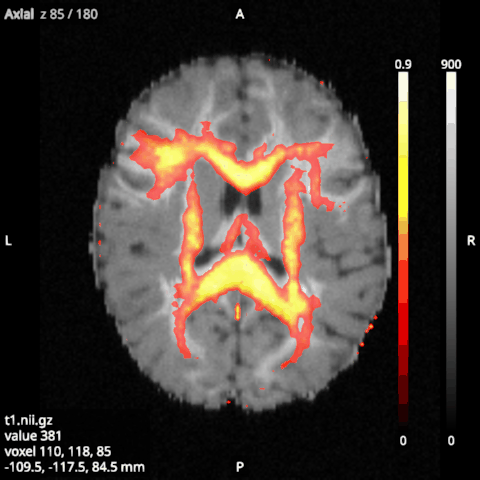
An overlay is drawn over the volume: a map, a mask or a parcellation. Any number of overlays can be shown at once.
Their options#
Colormap: gray, hot, viridis, inferno, magma, plasma, cividis, jet, bone or cool.
Minimum and Maximum: the values the colormap spans. They start at the image’s range.
Threshold (overlays): values at or below it are transparent, so only the part of a map above it shows. It starts at the image’s minimum, so a mask’s zeros are transparent.
Opacity (2D) and Opacity (3D): how much the image hides what is under it.
Interpolate: smooth (trilinear) or blocky (nearest voxel) slices.
Colour bar: a bar of the colormap, with its minimum and maximum, at the right edge of the 2D views.
Slices and Surface, under 3D: what the image shows in the 3D view.
4D images#
A 4D image, such as a diffusion-weighted series, shows one volume at a time, chosen with Volume index (an option of the item, not of its category). The Left and Right arrow keys step through the volumes of the selected 4D image, or else of the main volume. The minimum and maximum start at the range of the whole series, so its volumes are shown on one scale.
DTI colour maps#
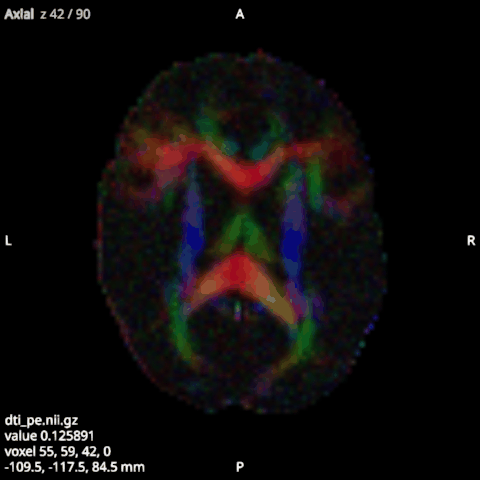
An image of 3 volumes, such as the principal eigenvector that lar dti writes (out_pe.nii.gz), can be shown
as a DTI colour map: tick DTI colours in its options (the field shows only for an image of 3 volumes). Red,
green and blue are the size of the vector’s x, y and z: left to right, front to back and up and down. A unit
eigenvector is fully bright; to weight it by FA, load the FA image (out_fa.nii.gz) as well and choose it in
Modulate by, which lists the loaded 3D images on the same grid: its values, clipped to 0 to 1, scale the
colours. While DTI colours are on, the colormap, range,
threshold and colour bar do not apply and are greyed out.