
Surfaces#
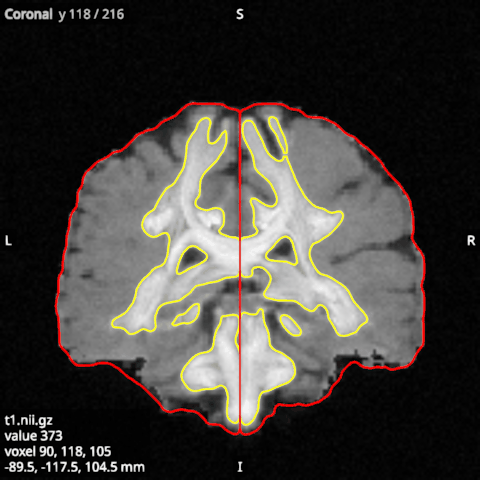
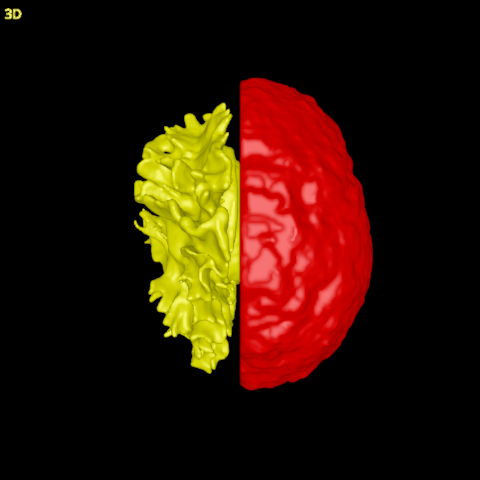
Cortical surfaces, such as the white and pial surfaces FreeSurfer makes, are drawn as shaded meshes in the 3D view and as the lines where each slice cuts them in the 2D views. Open them in the Surfaces category.
In the file dialog, pick the Surfaces file type: it lists GIfTI files (.gii, such as
sub-01_hemi-L_white.surf.gii) and FreeSurfer surfaces, which have no extension and are named by hemisphere
(lh.white, lh.pial, rh.inflated, …). From a terminal, surfaces are given with their own option:
lar bv T1.nii.gz --surfaces lh.white lh.pial.
Surfaces are placed in scanner coordinates, so they line up with the subject’s T1 without any registration.
Colours and curvature#
A surface starts in a colour taken from its name: yellow for a white surface, red for a pial surface, light grey
for any other. For a FreeSurfer surface, the viewer also reads the curvature file next to it (lh.curv for
lh.white) and colours the surface by curvature: sulci dark, gyri light.
Colour by: what colours the surface. None gives the surface’s own colour (the Colour option); a name gives the values per vertex of that name, through the colormap:
curvfor curvature, or the values of a GIfTI file, such as thickness.Colormap, Minimum and Maximum: how the values become colours. Curvature starts in grey from −0.3 to 0.3; other values start with their own range. The blue_dark_red colormap shows a value’s sign: blue below zero, dark at zero, red above, centred on zero when Minimum is minus Maximum. On curvature it gives the sulci one colour and the gyri the other.
The 2D views#
Cut lines: on, the line where the slice cuts the surface is drawn on each 2D view, in the surface’s colours; this is how to check a surface against the T1. Off, the surface shows only in 3D.
Line width (px): the cut lines’ width on the screen.
Normals#
Show normals draws the surface’s normals, the directions its shading uses, as short lines: the quickest check that a mesh is wound the right way. On a good surface every normal points outward; a patch, or a whole mesh, with its faces reversed points inward. In 3D, a lower Opacity (3D) shows the normals that point into the surface.
Normals in 3D: how many vertices show their normal in 3D, a random choice that stays the same each time; by default every vertex of a cortical surface. A lower number gives a sparser view.
Spacing in 2D (mm): on the 2D views the normals sit on the cut lines, this far apart, drawn in the slice’s plane; they need the cut lines on.
Normal length (mm): the lines’ length.
Normals colouring and Normals colour: by direction (red left to right, green front to back, blue up and down), as for tractograms, or in one colour.
The medial wall#
FreeSurfer closes each hemisphere with a flat patch across the midline, the medial wall, which is not cortex.
When the subject’s label/lh.cortex.label exists, Hide medial wall hides it, in 3D and on the slices,
with its normals. The surface itself is not changed.